The overviewA calmer start
A calmer start
to service.
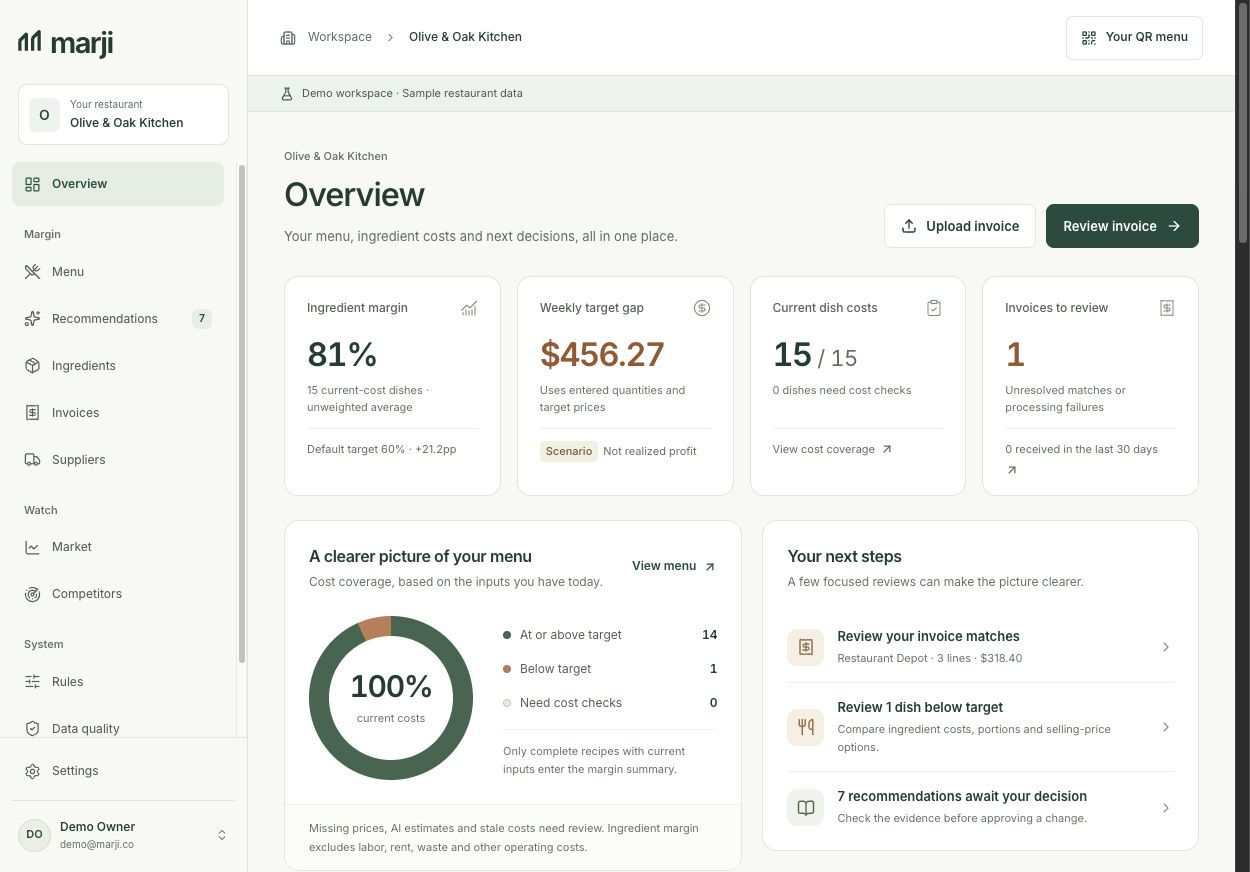
See what needs a second look. Bring pending reviews, recipe setup and dish costs into one view.
Every price decision
stays yours.
stays yours.
 View full size
 Restaurant food cost software
Marji connects supplier prices to recipe costs. See what changed, what it costs your kitchen, and which dishes need your attention.
14 days free · No card required
Then $59 / location / month
Your ingredients. Your margins.
Every decision stays yours.



Illustrative dishes · Sample prices, not a live feed.
One ingredient changes. Other costs stay fixed. Figures rounded.
Built for independent restaurants, cafés and bakeries.
A look inside Marji
A place for the recipes, invoices and small decisions that shape your menu. Take a closer look at the real workspace.
Explore the full demoActual app screenshots Sample restaurant data
See what needs a second look. Bring pending reviews, recipe setup and dish costs into one view.
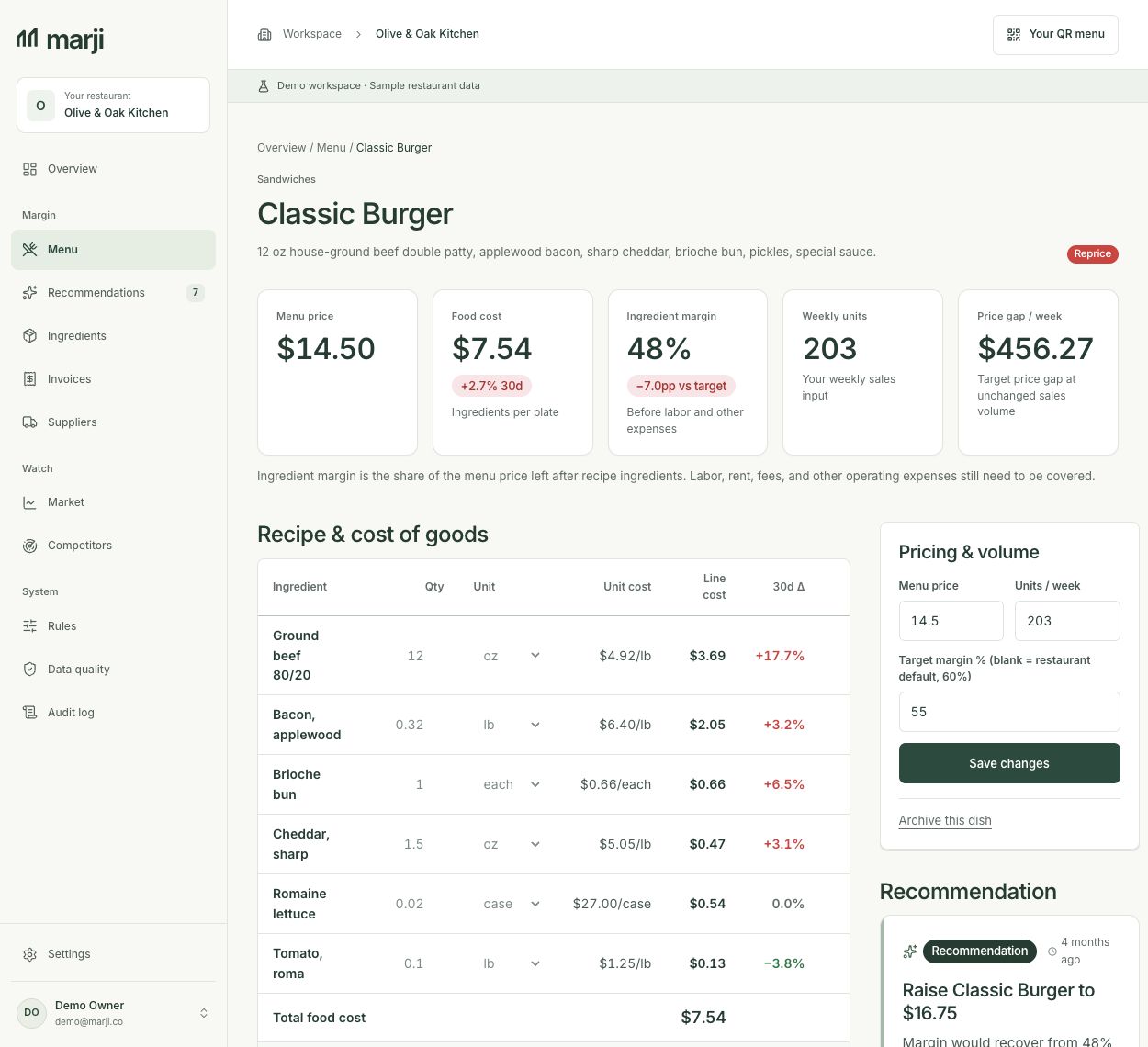
View full size Go from a menu price to the ingredients, portions and costs behind it. Keep anything that needs checking in sight.
 View full size
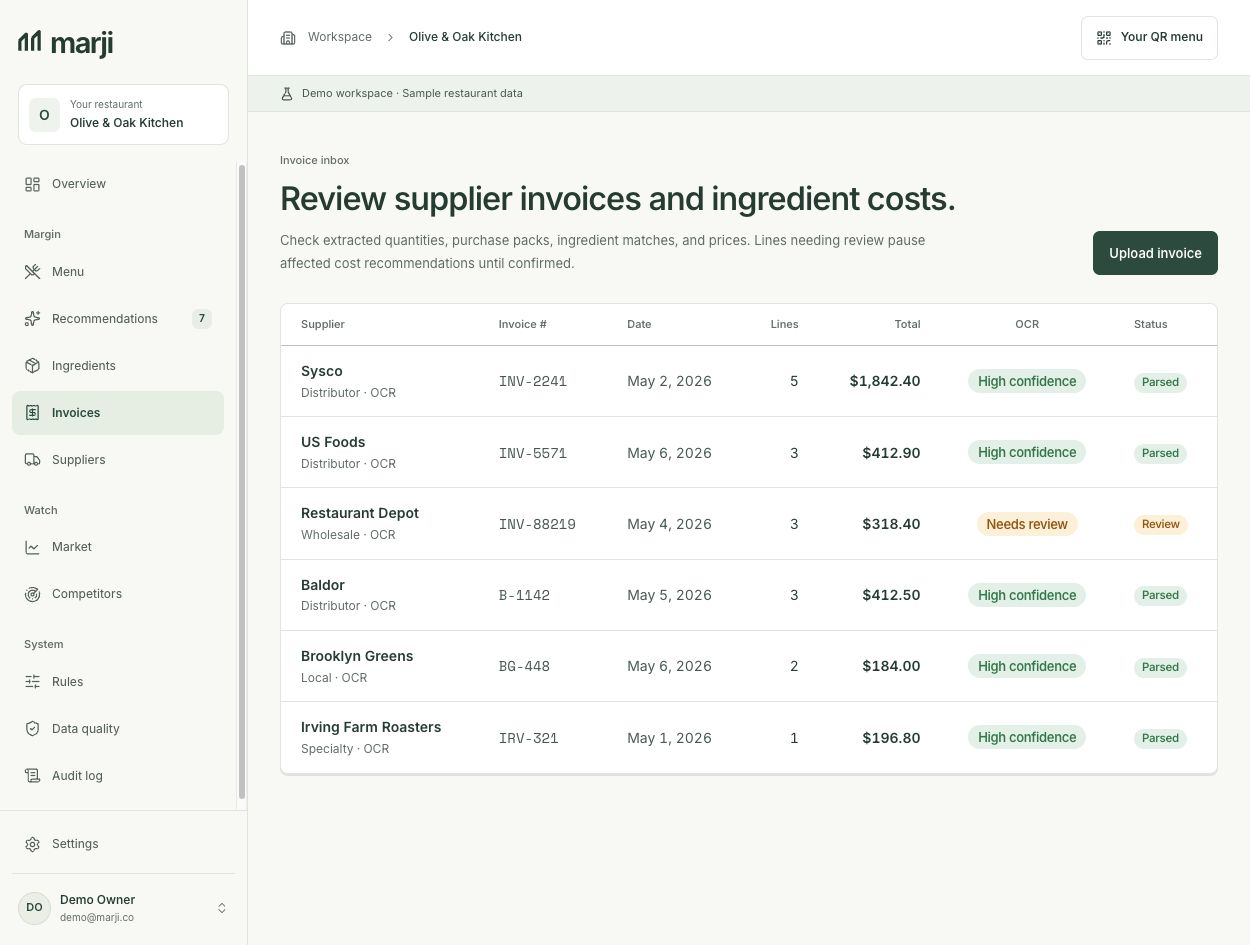
 Bring your supplier invoices into one place. Review ingredient matches, quantities and units before accepting new costs.
 View full size
 Open any screenshot for a closer look. Olive & Oak is a fictional restaurant.
Make room for your kitchenA simpler costing routine
You don’t need to set up your entire kitchen on day one. Start with a single dish, understand its costs, and build from there.
Add a dish and review its ingredients, portions, units and yields. Use your actual ingredient costs to build a clear starting point.
Upload a supplier photo or PDF. Check the suggested ingredient matches, pack sizes and units before accepting new costs.
As ingredient prices change, review the affected dishes. Decide whether to adjust a recipe, update a price or keep watching.
AI recipe drafts are a starting point. Review quantities and supplier costs before using them.
How recipe costing worksConnected to your kitchen
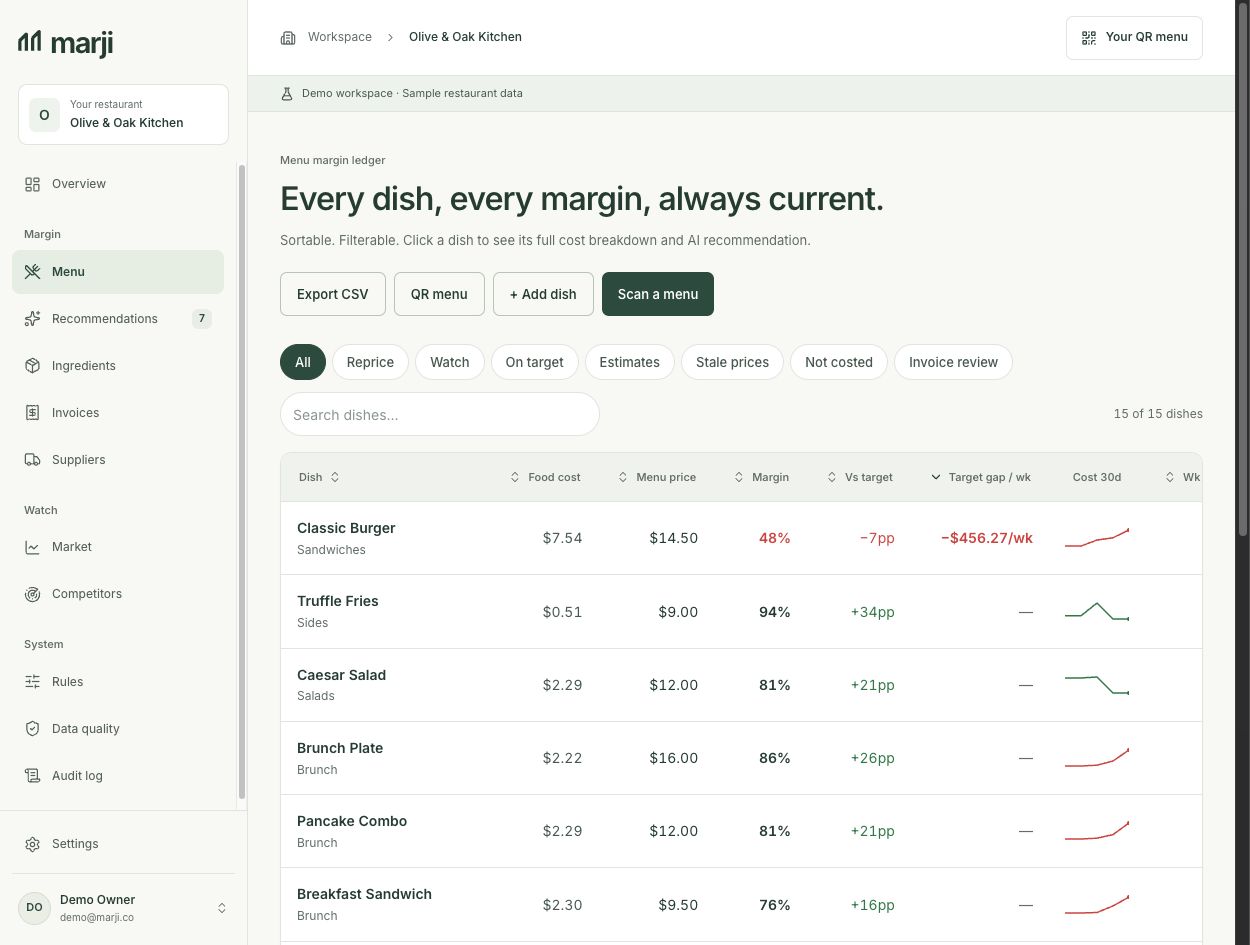
A supplier price rarely affects just one number. Marji connects each ingredient to the recipes that use it, so you can follow the change all the way to the plate.
Go back to the supplier invoice behind an ingredient cost.
See updated dish costs and margins. Missing costs remain a review task.
Review a recommendation before making a change. No POS connection needed.
 View full size
 The fine dining collection
A tasting sequence, an elegant wine list or a menu arranged in chapters. Explore distinct layouts for your dining room, add your dishes and logo, then share with a QR code. Hosting and manual menu editing stay free.
A dark identity column beside a quiet menu sheet. Editorial proportions with an uninterrupted reading flow.
Large dish titles, numbered margins and generous pauses. An à la carte menu with the rhythm of a sequence.
Full-width chapters in clay and burgundy, with large section numbers and an asymmetric menu rhythm.
An orderly wine catalogue in deep green and parchment, with columnar sections and precise price alignment.
A quiet lilac cover and generous category drawers. Open each section to explore its dishes.
A botanical cover opens into individual dish panels, set in leaf green with generous space for ingredients.
Sample menus with fictional dishes and prices. Open a design to explore the full menu.
How the free QR menu worksSimple pricing
Start with 14 days of Single, free. No card required. Then choose the plan that fits your restaurant.
A simple place to start
$0
per location / month
Free forever · one location
Your menu, always up to date and ready for every table.
For your everyday costs
$59
per location / month
Billed monthly
Keep recipe costs current at your restaurant, café or bakery.
Early access · by invitation
$149
per location / month
Available by invite
More context for owners comparing supplier costs and prices.
Running several locations, or looking for a little guidance?
Let’s talk about your restaurantBring your first recipe and your latest invoice. See what it costs today, and stay close to what changes tomorrow.
14 days free · No card required